Setting IIS 7 for .NET 4.0 in Windows 7 (3)
There are 3 parts about these steps: I: Setting IIS 7 for .NET 4.0 in Windows 7 (1) II: Setting IIS 7 for .NET 4.0 in Windows 7 (2) III: Setting IIS 7 for .NET 4.0 in Windows 7 (3)
Now let us add virtual directory for new web site:
1: You can add multiple web sites, or you can add multiple web sites under same one "web site" in IIS which using Add virtual directory
Aach virtual directory can be used for a separate web site, this is just like the old IIS 5.1 which dose not provides Add Website feature.
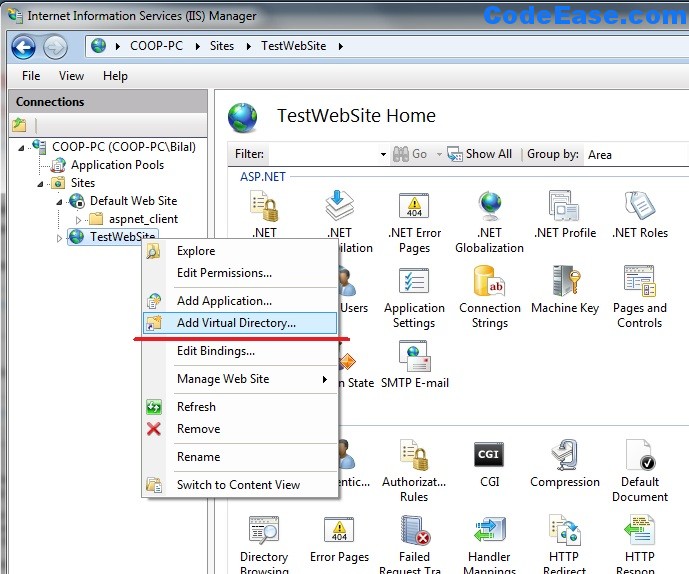
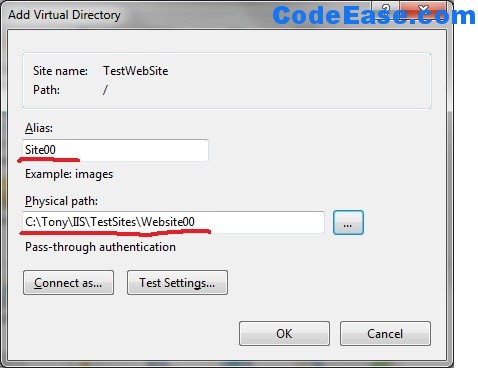
2: Give alias name and physical path for virtual directory:
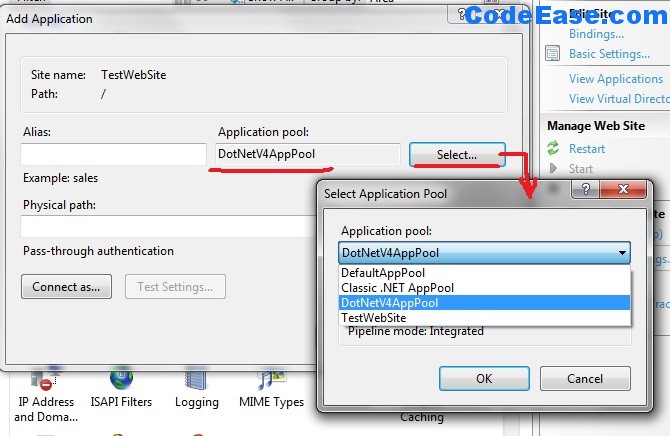
3: Add application pool for virtual directory:
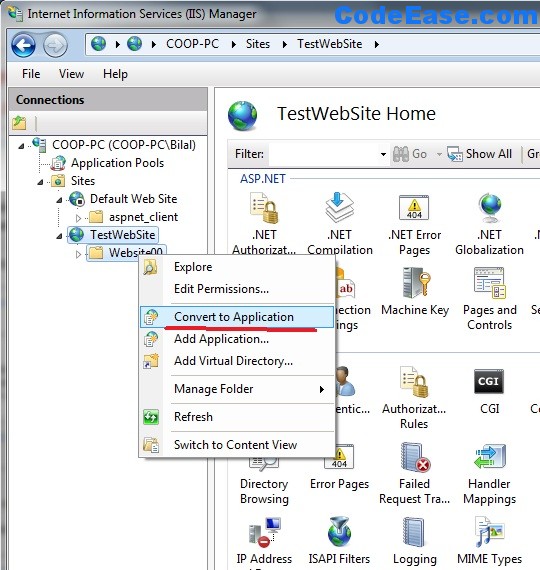
4: Covert the virtual directory to Application
select the virtual directory in left side and right mouse click, choose "Convert to Application"
5: Set all needed fields:
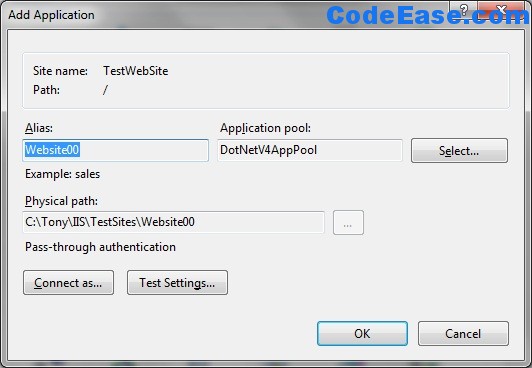
6: 0x800704ec error
Try the new virtual directory (new application website) you might see the following error message:
** HTTP Error 404.2 - Not Found** The page you are requesting cannot be served because of the ISAPI and CGI Restriction list settings on the Web server. Detailed Error Information Module IsapiModule Notification ExecuteRequestHandler Handler PageHandlerFactory-ISAPI-4.0_32bit Error Code 0x800704ec Requested URL http://localhost:80/Website00/default.aspx Physical Path C:\Tony\IIS\TestSites\Website00\default.aspx
you should change the setting for ISAPI and CGI Restriction:
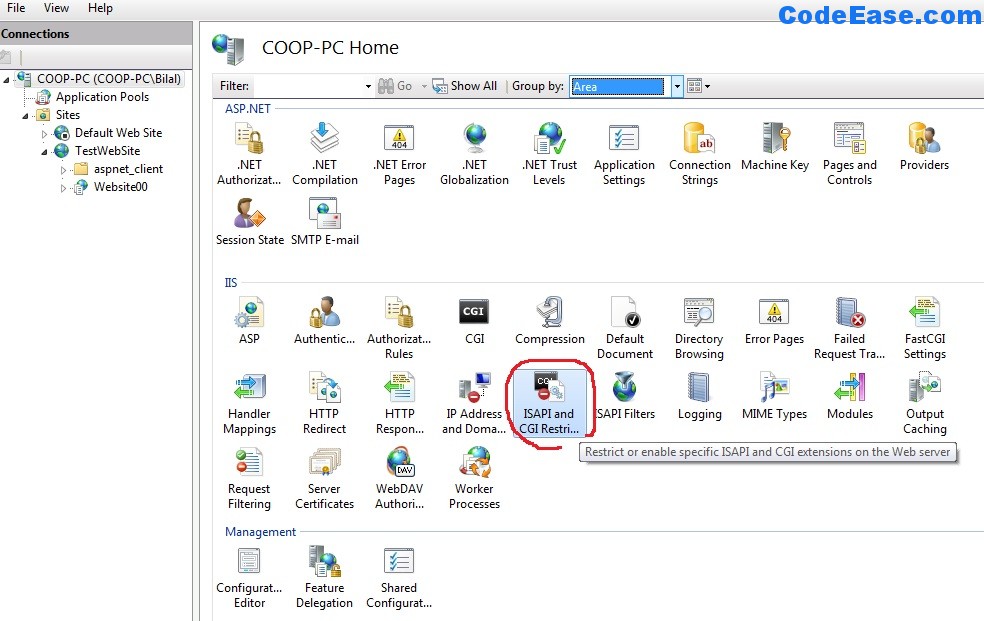
7: Change the "Not Allowed " to "Allowed" for all .NET 4.0 versions:
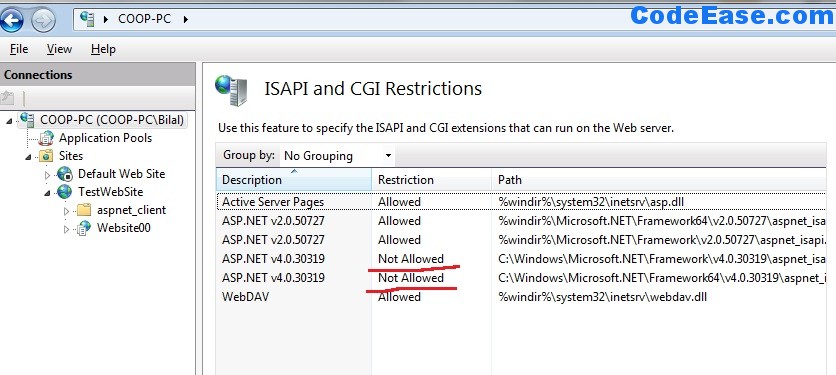
8: then go to check your new website, it works now !